ilert seamlessly connects with your tools using our pre-built integrations or via email. ilert integrates with monitoring, ticketing, chat, and collaboration tools.
See how industry leaders achieve 99.9% uptime with ilert
Organizations worldwide trust ilert to streamline incident management, enhance reliability, and minimize downtime. Read what our customers have to say about their experience with our platform.
The difference between an AI assistant that "almost" works and one that consistently delivers high-value results is rarely a matter of raw model capability. Instead, the bottleneck is typically the quality and structure of the instructions provided. For DevOps and SRE teams building automated workflows, "magical prompt tricks" are no substitute for a repeatable, engineered structure.
This article provides a practical plan for building effective AI agents, detailing a six-part structure you can reuse across tasks to ensure reliability, safety, and clear outputs.
The problem: Instruction quality over model capability
If you have ever felt like an AI assistant is failing to meet expectations, the issue is often a lack of structural discipline. Vague tasks inevitably produce vague outputs. To bridge this gap, engineers must treat prompts not as clever messages, but as lightweight product specifications.
By defining roles, inputs, outputs, and constraints with the same rigor used in software engineering, you can create agents that are far easier to integrate, evaluate, and debug.
The six-component prompt blueprint
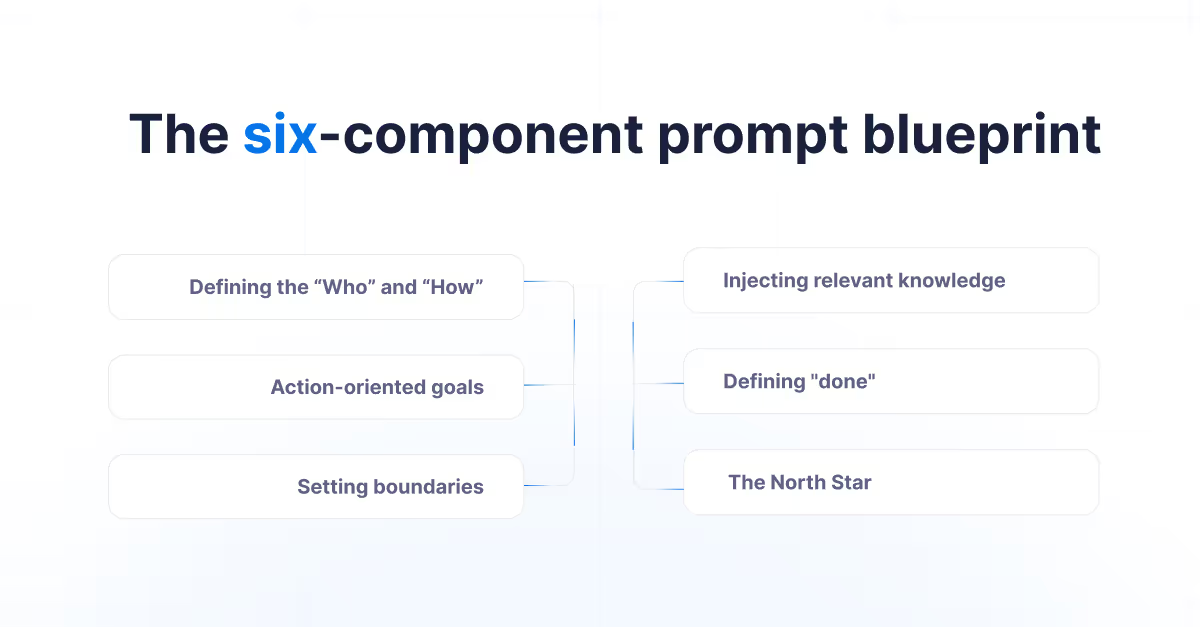
At the core of every reliable agent is a blueprint consisting of six essential components. Following this structure ensures that the model has the necessary context and boundaries to perform complex tasks.
1. Rule and tone: Defining the "Who" and "How"
Start by establishing the persona and communication style. This sets the lens through which the agent's decisions, vocabulary, and depth of knowledge are shaped.
Example: "Act as a senior SRE with 10 years of experience in incident response and postmortem analysis."
2. Task definition: Action-oriented goals
Specify the goal using clear, action-oriented language. State precisely what the agent needs to achieve to produce a usable deliverable.
3. Rules and guardrails: Setting boundaries
Explicitly state constraints and quality checks to ensure consistency.
Do: Use bullet points for lists.
Don’t: Include PII (Personally Identifiable Information) in the output.
4. Data: Injecting relevant knowledge
Great prompts act as both instructions and inputs. Provide any necessary session context, metadata blocks, or specific technical documentation the agent should reference.
5. Output structure: Defining "done"
Tell the agent exactly what the response should look like (e.g., Markdown, JSON, or tables).
6. Key Reminder: The North Star
Restate the most critical requirements at the end of the prompt. Repetition improves adherence, especially when dealing with longer, more complex instructions.
Formatting for legibility and debugging
To make instructions easier for the model to follow and for you to debug, leverage Markdown formatting:
Markdown Headers: Use # and ## to create a clear hierarchy for crawlers and the AI alike.
Emphasis: Use bold text, blockquotes, or ALL CAPS for critical safety instructions.
Cross-references: Create internal links between sections to help the model connect related instructions logically.
Structured prompts make it obvious which specific instruction caused a failure when something goes wrong, significantly reducing the time spent on prompt engineering.
Prompt template
Here is the template you can copy and paste.
# Role / ToneYou are a [role] with expertise in [domain].Tone: [clear, concise, friendly, formal, etc.].
# Task DefinitionYour Goal: [one sentence describing the outcome]Sucess looks like: [2–4 bullets describing what “good” means].
# Rules & GuardrailsDo: [required behaviors]
Don’t: [forbidden behaviors]
Quality checks: [accuracy, safety, policy, formatting, etc.]
# Data / ContexAudience: [who this is for]Inputs: [paste text, metrics, constraints, examples]
Definitions: [key terms]
# Output StructureReturn your answer as:Format: [Markdown / Table / JSON]
Sections: [list exact headings]
# Key ReminderRepeat the two most important constraints here.
Conclusions
Building effective AI agents requires moving away from conversational prompts and toward engineering-grade specifications. By using the six-component blueprint – Rule/Tone, Task, Rules/Guardrails, Data, Output Structure, and Key Reminder – you ensure that your AI assistants are predictable, reliable, and production-ready.
When I first started using AI (Cursor, to be more specific) for coding, I was very impressed to see how it could generate such high-quality code, and I understand why it's now one of the most widely used tools for software engineers. As I continued to use them more regularly, I realized they are far from perfect. Their effectiveness depends heavily on how they are used and the context in which they are applied. In this blog post, I'd like to share more about my daily application of AI coding tools and where I find them truly useful.
Using the Cursor for code navigation
Code navigation is the feature I find most helpful. Every mature organisation has some form of monolithic codebase, and navigating through it isn't easy, especially when you are new to the team. If you know what you are looking for, AI can provide highly accurate explanations and guide you to the right files, functions, patterns, etc. When I joined ilert in June 2025, I found the Cursor’s code navigation and explanation of the flow very useful, and it made my context building about the monolith very smooth. Without it, I would have to put in much more effort and be more dependent on teammates to clarify my doubts and questions.
Boilerplate code and unit tests
In terms of code generation, AI is very effective at generating boilerplate code and writing unit test cases. Cursor builds context for the entire project and understands existing coding patterns and styles. So when you want something trivial, like creating new DB tables and entities, generating data for tests, test setup, or developing mocks, it can easily do that by modelling the existing code. Similarly, it can generate a good amount of unit tests.
For more complex tests, Cursor can also be helpful, but so far, my experience has been that it may not generate accurate results. Since boilerplate code generation is taken care of by AI, coding and writing tests have become significantly faster. An important caveat is that you do need to review what code it has created, specifically in a business-critical area, and verify its correctness. I will also be extra careful in code generation where the application is highly secure or critical.
Accelerates learning newer tech stacks
Another place I find AI handy is when dealing with newer tech. AI reduces the time needed to master new technologies. Here're a few examples.
ServiceNow app
I was working on building a marketplace app for ServiceNow, which I had never worked with before. Getting acquainted with ServiceNow can be time-consuming. When I started, the only thing I knew was the task itself, and no technical details about ServiceNow, its apps, or the marketplace. With AI, you simply specify the type of app you need and mention that you are new to ServiceNow app development. After that, the AI provides steps to get started with ServiceNow. It outlines different ways to develop an app, details the type of code you may need to write, and also explains how to create an app using only configurations. Without AI tools, I would have eventually learnt all these concepts after exhaustive Google searches and reading multiple sources, but with AI, it was faster, easier, concise, and efficient. ChatGPT and ServiceNow’s internal coding assistance (similar to Cursor) helped me understand the platform better in far less time, and I was able to create the POC before the deadline.
Learning Rust
Similarly, I had to pick up the programming language Rust for my work. I found that ChatGPT and Cursor lowered the barrier to entry. To anyone not familiar with Rust, it's a fairly complicated language for beginners, especially if you are learning it as a Java programmer. Rust’s unique memory management and the concept of borrowing can be intimidating.
Generally, to learn any programming language, you need to understand syntax, keywords, flows, data types, etc. It was easy to map the basics of syntax and data types from Java. Once you have grasped the basics, you want to get your hands dirty with coding exercises, identify errors, understand why they occurred, and fix them.
This is where ChatGPT and Cursor were super helpful:
Error decoding: Instead of looking for answers on Stack Overflow, I could easily receive detailed explanations of why the error occurred.
Proactive learning: AI was able to list down common roadblocks other developers faced, on top of my doubts. It understood that I was new to Rust, and I found it very useful to learn about the common pitfalls even before I encountered them.
Efficient search: The internet is a sea of information. You can eventually find your answer after an exhaustive search and visiting multiple websites. But AI provides the right answer for your specific error.
AI not only helps you code, but it also helps you evolve. It lowers the barrier to entry for complex technologies, allowing developers to remain polyglots in a fast-changing industry.
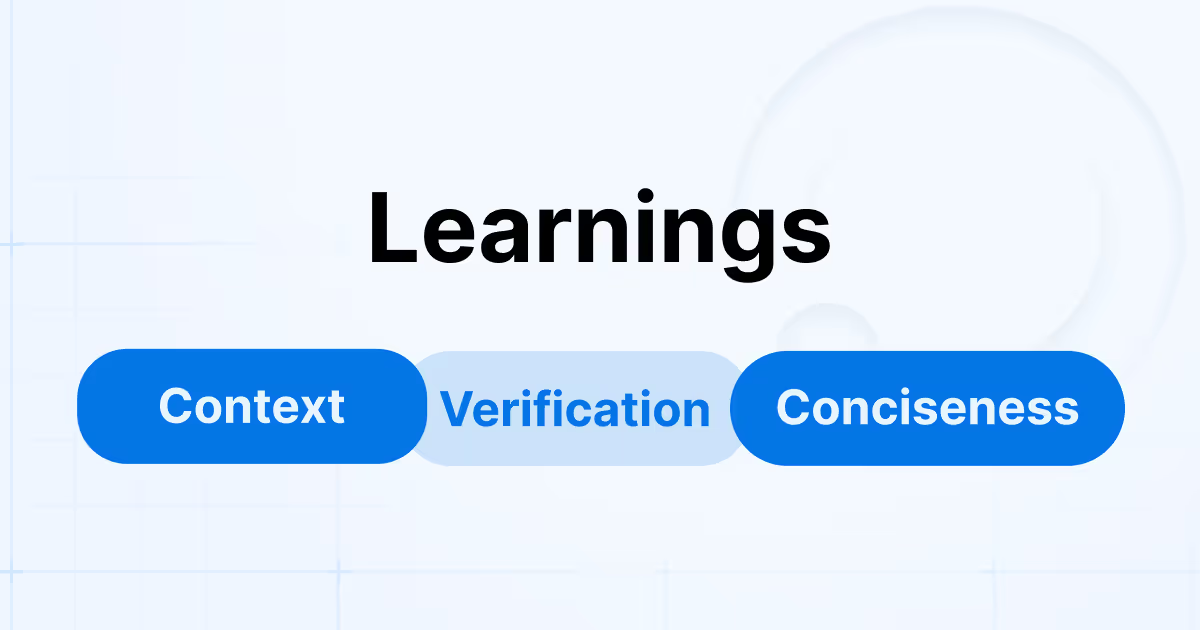
Learnings
1. Provide enough context for higher accuracy results
Providing context for your needs to AI is critical. Unlike humans, AI doesn’t ask follow-up questions. When the request is vague, AI relies on default public data and produces results that are far from accurate. Whereas, if you provide better context, like edge cases, preferred libraries, and more descriptive business requirements, AI produces better results. Therefore, it's more about how you ask and how precisely you frame your questions and provide more information about your problem.
Example 1. File Processing Standards
In my previous workplace, we were implementing a file-processing workflow. The requirement was to read the file, process it, and move it to the archive in S3. It generated the code to read files using Java's latest NIO Path API, whereas we had a standard to use FileReader. This is a subtle but important example of how it can lead to results that aren’t consistent with organizational standards.
Example 2. Unit testing: Missing business context
Similarly, for unit testing, if you provide instructions like "write a unit test for the method." AI would generate basic tests that cover basic decision branches and happy paths. They often fail to address critical edge cases and business-specific scenarios without explicitly stated expectations, such as business rules, edge cases, failure scenarios, etc. AI cannot determine which cases truly matter. As a result, tests may look complete but provide limited confidence in real-world projects.
Providing context is essential to getting accurate results. Even if you don't do it initially, you will end up providing it eventually, as you won't be satisfied with the results. Therefore, investing time in sharing precise, well-defined information isn’t extra work; it is simply a better practice. Clear context enables AI to generate code that is more usable and production-ready.
2. AI can hallucinate; verification is important
By hallucinations, we usually mean cases when AI generates code or explanations that appear valid but are incorrect. I encountered this multiple times while building a ServiceNow application. This made me realize that you can't blindly depend on the responses it provides, and the importance of verification and testing.
Example 1: Sealed objects and ServiceNow constraints
In one scenario, the application needed to make an external REST call. ServiceNow provides the sn_ws object for this purpose. The AI-generated code used the object correctly in theory and aligned with common REST invocation patterns.
However, the implementation failed at runtime with the error: “Cannot change the property of a sealed object.” Despite several iterations, the AI was unable to diagnose the root cause. Further investigation revealed that certain ServiceNow objects are sealed and restricted to specific execution contexts. These objects cannot be instantiated or modified; they must be used within platform components. This is a platform-specific constraint that isn’t obvious from generic examples, and AI was unable to handle it.
Example 2: Cyclical suggestions
In another case, the AI-provided solution didn’t work. Subsequent prompts produced alternative results, none of which resolved the issue. After several iterations, AI began repeating previously suggested approaches, as if entering a loop. At that point, I had to fall back on the primary official API documentation and a deeper examination of the platform components to resolve it.
AI can generate invalid results, may use libraries with vulnerabilities, etc. Therefore, it’s crucial to validate the result, especially when you are dealing with secure or business-critical code.
3. AI can be very descriptive; ask it to be concise
AI systems tend to produce highly descriptive responses by default. While this can be useful for learning or exploration, it isn’t always ideal for day-to-day software engineering work. In real-world environments, we are often working under tight deadlines where speed is more important than detailed explanations. When using AI as a coding assistant, concise output is usually more effective. Long explanations, excessive comments, or multiple alternative approaches can slow you down. Explicitly asking for a concise response makes AI produce results that are quicker to evaluate and easier to use.
This becomes especially important during routine tasks such as writing small utility methods, refactoring existing code, generating unit tests, and exploring existing projects. In these cases, we typically want actionable code, not a tutorial. A prompt such as “Provide a concise solution with minimal explanation” can significantly improve results and save time.
Being descriptive isn’t bad, but not always effective. By asking for concise output, you guide it to produce exactly what you want more efficiently.
Conclusion
AI has significantly changed the way I work as a software engineer. It has helped me with code navigation, learning newer technologies, writing documentation, and being more productive. It's not perfect, but I am confident that it will improve significantly. I see it as a handy assistant, another toolset in your repertoire.
This article explains why AI-driven automation in incident response is feasible now. Teams can finally safely delegate repetitive and time-critical response tasks to AI Agents, which operate with contextual awareness and human oversight. The result is faster response, higher service uptime, and less alert noise – without losing control.
With these capabilities now being applied during real incidents, questions naturally shift from whether automation is possible to how it should be introduced and governed in practice. The Agentic Incident Management Guide addresses this next step, describing practical frameworks, rollout strategies, and real-world examples that show how SRE and DevOps teams can and automate incident response effectively and safely.
Automation’s false starts
Automation has been a key part of technology strategy for decades. It has been included in countless roadmaps and transformation initiatives, yet truly widespread, AI-powered automation has often failed to meet expectations. Early attempts faced limitations due to fragile tools, a lack of context awareness, and an operational culture that was not ready to trust autonomous systems.
Technology finally caught up
The main reason for today's automation feasibility is the major improvement in AI capability. Automation is no longer restricted to rigid, rule-based scripts. Modern machine learning models, especially large language models (LLMs), provide contextual understanding, probabilistic decision-making, and adaptive learning. This allows automation systems to function in environments that were once too complex or unpredictable.
Equally important is the development of the technology infrastructure. Cloud-native platforms, widespread APIs, and dependable orchestration frameworks give AI instant access to data and control across distributed systems. A decade ago, this connectivity simply did not exist.
Improvements in auto-scaling, observability, and telemetry also reduce risk. Complete visibility, enhanced log correlation, and solid CI/CD pipelines make it feasible to deploy automation at scale while carefully managing the impact and recovery. The result is not only smarter automation but safer automation.
Operational culture evolved
Technology alone is never enough. The second key shift has been cultural. The rise of DevOps and SRE has reshaped how teams think about automation. The same teams that once held back from automating, now see it as a way to ensure consistency, reduce unnecessary work, and speed up results. Blameless postmortems and ongoing improvement methods promote experimentation and iteration, allowing automation to grow and adapt. SRE principles – reducing manual work, managing error budgets, and aligning tasks to Service Level Objectives (SLOs) – naturally support incremental and well-governed automation.
In this environment, AI is not seen as a replacement for engineers but as a partner that enhances human judgment, eases mental load, and allows teams to focus on more important work.
Risk became a first-class design concern
One of the most overlooked enablers of AI-driven automation is the modern approach to risk management. Today's automation frameworks are designed for gradual adoption. Rollouts can be staged, actions can be tracked in real time, and automated rollback strategies have become standard practice. Permissions, policies, and approval workflows are written as code, making rules clear, testable, and repeatable.
Importantly, AI-powered systems now stress observability and explainability. Actions are auditable, reversible, and measurable. This transparency shifts AI from being seen as a black box to a reliable operational partner. With tight feedback loops, teams can assess impact continuously and address issues before they escalate.
The benefits are already materializing
The combination of mature technology, evolved culture, and built-in safeguards means organizations can automate confidently. Teams using AI-driven automation are already experiencing real benefits:
Significantly reduced MTTR, aided by AI-driven root cause analysis and automated fixes
Decreased operational costs, as routine tasks and scaling are managed automatically
Enhanced reliability and consistency, with fewer mistakes made by humans
Increased capacity for innovation, as engineers spend less time on repetitive tasks and more on mission-critical work
The result is faster incident resolution, improved service reliability, and noticeable growth in team satisfaction.
Conclusion
AI-driven automation is viable today not because of a single breakthrough, but because of a rare alignment. Advanced AI capabilities, production-ready infrastructure, DevOps- and SRE-led cultural shifts, and a disciplined approach to risk have matured together.
What comes next is putting that convergence to work in production. ilert’s Agentic Incident Management Guide explores how teams can apply AI-driven automation, controlled and step-by-step, during real incidents. This is where automation moves from aspiration to actuality.